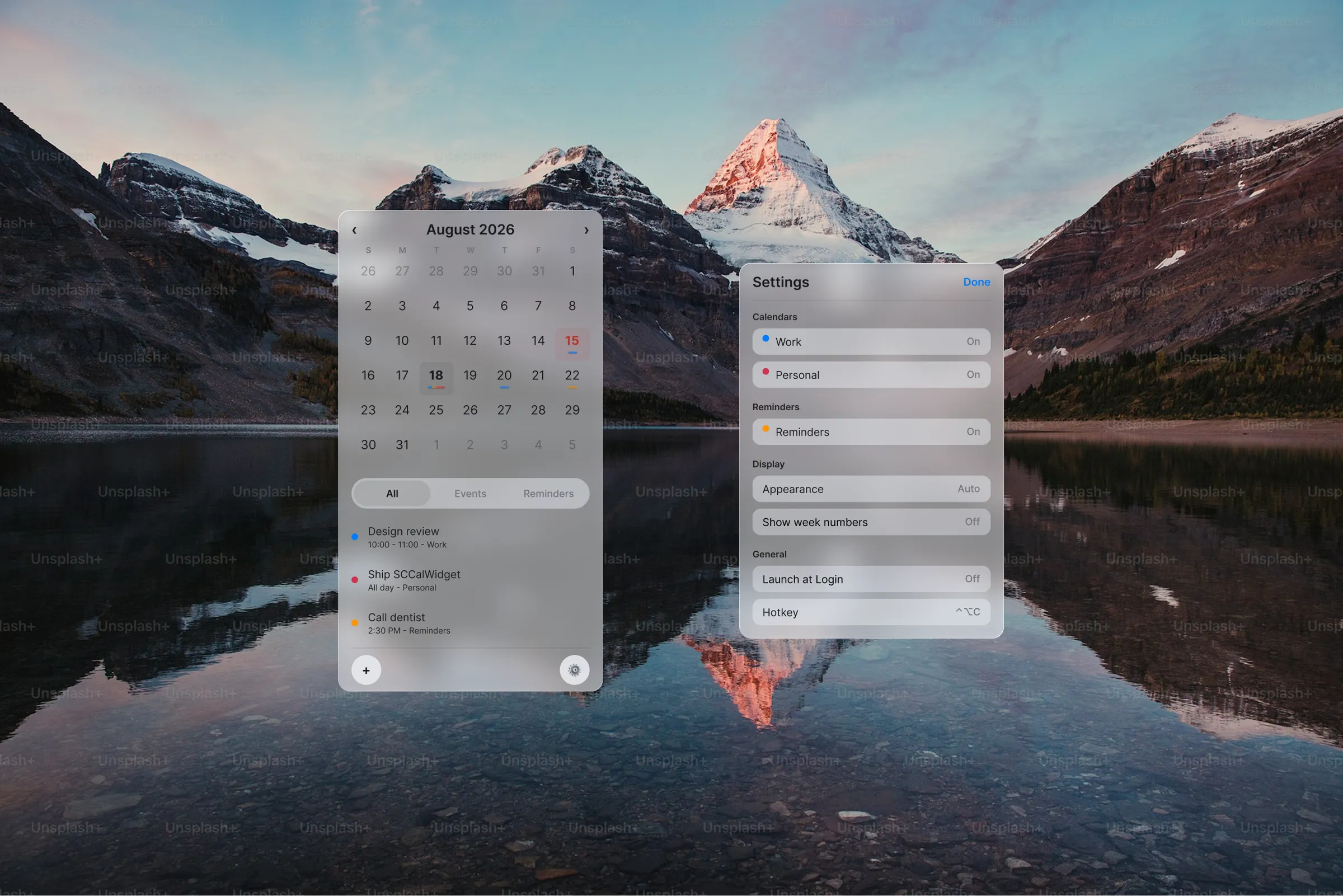

A big menu bar calendar for macOS
After moving to macOS I missed the Windows popup calendar. MenuCal is a big, clear menu bar widget for events and reminders. Designed in Figma, built with Cursor. Still WIP, download soon™.
Context and role
Context
The corner calendar I lost on the move
I moved from Windows to macOS and immediately missed the popup calendar in the corner. Click the clock, see the month, see what's coming. On a Mac the built-in options felt tiny, and the third-party ones I tried either looked bad, worked bad, or both.
I wanted a relatively big, clear calendar that showed my events and my reminders in one place. Apple already folds Reminders into Calendar, so the widget should too. Month grid up top, what's next underneath, filters for All, Events and Reminders.
Role
Figma design and Swift with Cursor
Solo. Product and UI in Figma, then SwiftUI on macOS with Cursor helping on the build. EventKit for calendars and reminders, menu bar entry, popover, Add sheet and Settings.
Numbers
Menu bar, one popover
1
menu bar click
Month, filters and Up next in one popover
3
list filters
All, Events, Reminders
WIP
build status
Designed and running. Download soon™
Decision 01
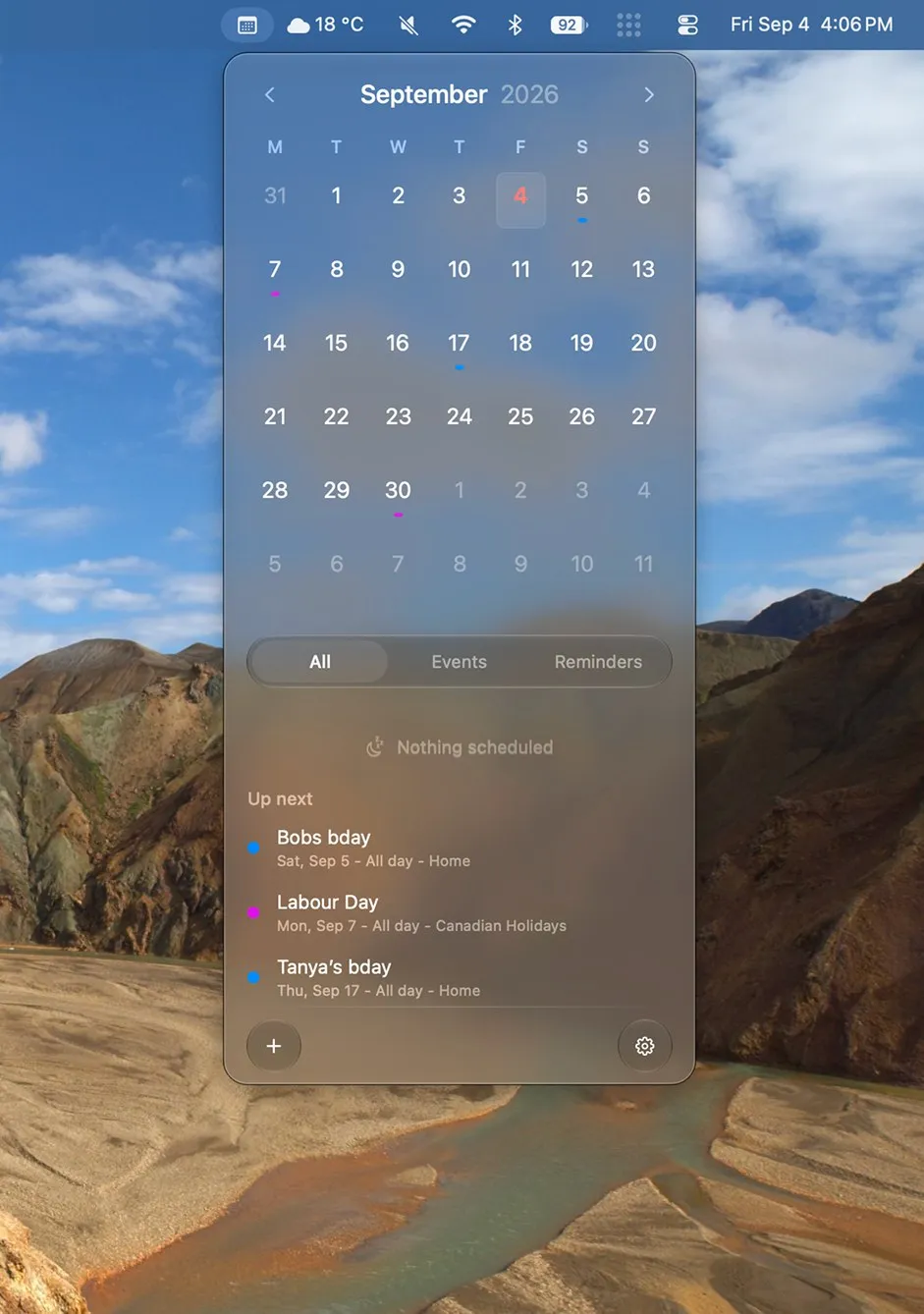
One popover, month plus agenda
The popover has to feel bigger than Apple's tiny date picker without turning into a second Calendar app. Month navigation, day marks, All / Events / Reminders, and an Up next list all live in one glass panel under the menu bar icon.
Event colours from each calendar show as marks on the grid and dots in the list, so you can skim the month and the agenda without opening another window.
Decision 02
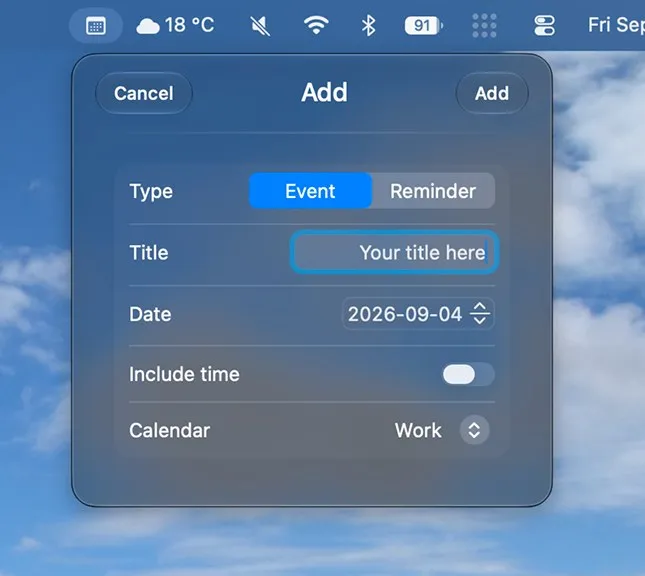
Events and reminders in the same Add
Add starts as Event or Reminder in the same sheet. Title, date, optional time, and which calendar. Settings cover appearance, week numbers, Monday week start, and which menu bar icon shows.
I designed it in Figma first, then used Cursor to help build the SwiftUI app. First real development project in a long time and it went pretty smoothly, which is why I'm writing this up before the download page exists.
Interface shots
Gallery
Outcomes
Month grid, agenda and one Add
The corner calendar is back
I get a readable month and upcoming list from the menu bar without opening Calendar or hunting through half-broken widgets.
Design first, then code
Figma held the UI. Cursor helped with the Swift. Shipping a downloadable build is the remaining work.
Still finishing polish and packaging. Download soon™.
Reflection
Before the download
It's not finished, and I'm fine saying that here. The useful part so far is that a personal itch plus a clean Figma file was enough to get a working macOS app again after a long break from shipping code.